
Exploring Acer's Linux Operating System: A Comprehensive Overview
Explore Acer's Linux operating system and its features, performance, security, and compatibility. Learn about Linux-powered Acer devices, open-source software, customization, and benefits for work, learning, and development.
TECHNOLOGY
7/26/20264 min read
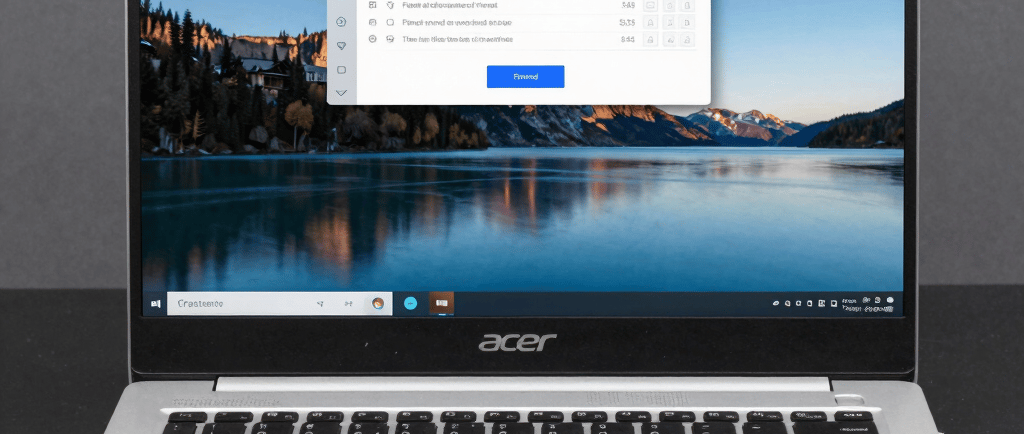
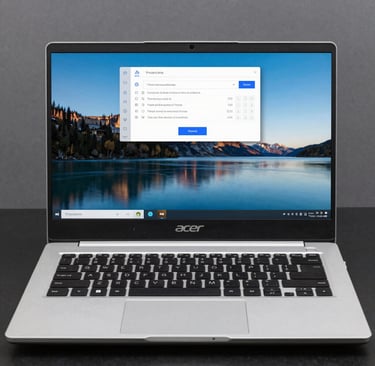
Acer Linux OS has been a hot issue for consumers looking for a lightweight, secure and configurable alternative to traditional operating systems on Acer hardware. Although Acer doesn’t ship a single branded “Acer Linux OS” as a pre-installed product on most consumer laptops, the term is used broadly to refer to Linux distributions running on Acer hardware, community-optimized configurations, and the expanding ecosystem of open source programs tuned for Acer laptops, Chromebooks and related hardware.
What is Acer Linux OS?
Acer Linux OS = Installing and running Linux distributions on Acer laptops, convertibles, and Chromebooks. Many older Acer netbooks shipped with Linpus Linux originally, and today users often install Ubuntu, Linux Mint, Fedora, Manjaro, or other distributions. Acer Chromebooks currently enable Linux apps via Chrome OS's Linux development environment, providing them an accessible entry point. The result is a versatile and privacy-centric system that takes advantage of Acer’s hardware strengths while benefiting from the perks of open-source software, regular system updates and strong community support.
Why Acer Linux OS ?
Acer Linux OS does have certain practical features that make it appealing:
- Performance and efficiency – Linux distros frequently feel more responsive on mid-range Acer hardware, especially on machines with limited RAM or older processors. Better resource management to extend battery life and decrease background processes.
- Hardware compatibility – Mainline kernel support is robust for popular Acer lines like Aspire, Swift, TravelMate and select Predator devices. Intel graphics will often operate out of the box, with NVIDIA Optimus installations usually requiring proprietary drivers or PRIME settings.
- Security and privacy – Open source software, frequent upgrades from package managers, and fewer target assaults than standard consumer operating systems.
- Flexible – Users can select their preferred desktop environment (GNOME, Cinnamon, KDE Plasma or XFCE) to work with, based on their workflow and hardware.
- Cost and longevity – Keeping older Acer laptops alive by swapping a resource-intensive OS for a lighter Linux distribution.
Acer Linux OS Semantic Subjects Frequently Mentioned With Linux distribution selection Device drivers UEFI firmware settings Secure Boot Dual-boot configurations Kernel support Wi-Fi and Bluetooth drivers Touchpad gestures Audio subsystem SSD performance RAM upgrades Graphics drivers Power management
Supported Hardware and Distribution Compatibility
Acer Linux OS is well suited to many Acer Aspire and Swift laptops. The community regularly reports successful installs of Linux Mint (particularly Cinnamon), Ubuntu LTS, Fedora, and Manjaro. User guides also note Arch-based distros and EndeavourOS for those looking for a rolling-release experience.
Another alternative option are Acer Chromebooks, which have a built-in Linux container or Crostini in many circles, that lets you run Debian-based programs without having to completely swap out Chrome OS. For full Linux installs, users normally turn off Secure Boot, change the boot order in UEFI/BIOS (usually accessed via F2), and check that installation media is detected.
Common semantic keywords that increase discoverability around this topic are: open source software, hardware compatibility, mainline kernel, proprietary drivers, nvidia prime, intel integrated graphics, package manager, system updates, desktop environment, gnome, cinnamon, kde plasma, xfce, dual boot windows linux, recovery partition, bootable usb, rufus or etcher, achi mode, firmware updates, battery optimization, privacy focused os, lightweight distribution, productivity tools, gaming on linux via proton or native titles.
Installing Acer Linux OS Considerations
Successful installation of Acer Linux OS often requires some hardware specific steps:
1. Make a bootable USB containing a recent ISO of the chosen distribution.
2. Press power on to boot into UEFI Set-up (it is typically F2 on power on) and change the boot order so that USB is first.
3. Most Acers systems will require additional key combinations to change the BIOS trust setting or additional key combinations in the BIOS to ensure that the boot entry is not simply ignored by the firmware.
4. Make a clean install or dual boot. Turn Secure Boot off or add/enroll Secure Boot keys; if applicable for Secure Boot capable installations. First, back up data.
5. Update the system after installing, install missing firmware packages and tweak graphics if using discrete NVIDIA cards.
Touchpad quirks, Wi-Fi chipsets and occasional boot-loader persistence issues are routinely discussed in community forums (including Acer’s own Linux category). Most of these are solved with kernel updates, extra firmware packages, or just simple configuration changes.
How to Use and Optimize Daily
Once running, Acer Linux OS supports the complete spectrum of open-source apps including browsers, office suites, media players, development tools and creative software. Package managers make installing and updating applications easy. Productivity users make sure to use the system with lightweight desktop environments to get the most battery life out of Acer ultraportables. Creative work or light gaming can be boosted using hardware acceleration, and proprietary drivers where appropriate.
Long term maintenance: Keep your kernel and firmware updated and watch for any peculiarities reported in your Acer model by the community. Optionally use power management and thermal control programs. Hardware adjustments like upgrading to an SSD and adding more RAM are still common ways to further improve the experience on older Aspire or Swift computers.
Next Steps
Interest in Acer Linux OS continues to grow as more consumers look for options that respect privacy, extend device longevity, and prevent manufacturer lock-in. Acer hardware is still very much available and reasonably priced, plus the Linux world has stable Desktop environments, solid driver support for common components, and an active community willing to help with model specific advice.
Whether you’re looking for a daily-driver laptop, a secondary development machine, or simply want to breathe new life into an existing Acer device, Acer Linux OS installations offer a practical, efficient solution. If you have a good distribution, pay attention to UEFI and Secure Boot settings, and keep your system updated, you should be able to run a stable, responsive system tuned to Acer hardware.
For the best results, verify recent compatibility notes for your precise Acer model, use LTS or well-tested releases for everyday use, and read the copious documentation available from distribution communities and Acer user forums.
Join our community and stay connected through our social channels.
© 2026. All rights reserved.